> ## Documentation Index
> Fetch the complete documentation index at: https://docs.helpgenie.ai/llms.txt
> Use this file to discover all available pages before exploring further.
# Settings
> Configure accounts, notifications, and behavior
Settings is where you configure how the app looks, behaves, and notifies you.
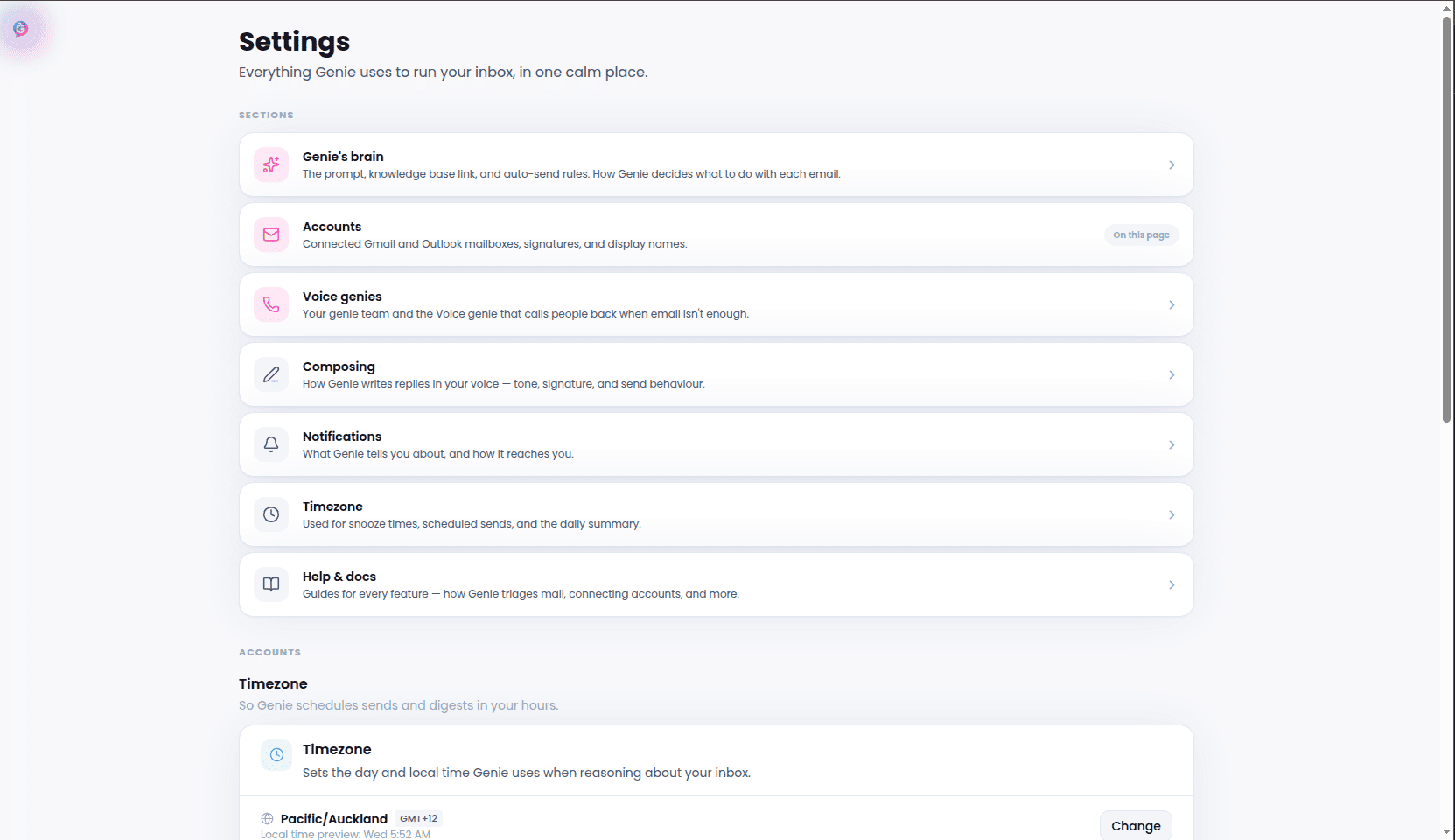 * **Accounts** — connect, view, or disconnect email accounts
* **Brain** — edit your AI triage instructions
* **Genies** — manage multiple triage profiles, if you use more than one
* **Composing** — set your default tone and reply style
* **Notifications** — choose when and how you're notified
* **Timezone** — set the timezone used for scheduling across the app
* **Accounts** — connect, view, or disconnect email accounts
* **Brain** — edit your AI triage instructions
* **Genies** — manage multiple triage profiles, if you use more than one
* **Composing** — set your default tone and reply style
* **Notifications** — choose when and how you're notified
* **Timezone** — set the timezone used for scheduling across the app