> ## Documentation Index
> Fetch the complete documentation index at: https://docs.helpgenie.ai/llms.txt
> Use this file to discover all available pages before exploring further.
# Calls
> Watch your Genie work the phones and review past calls
The **Calls** tab is a read-only feed of what your Genie is doing on the phones — it
never dials from here; it only shows the outcomes of calls that already passed the
compliance gate.
## The Calls tab
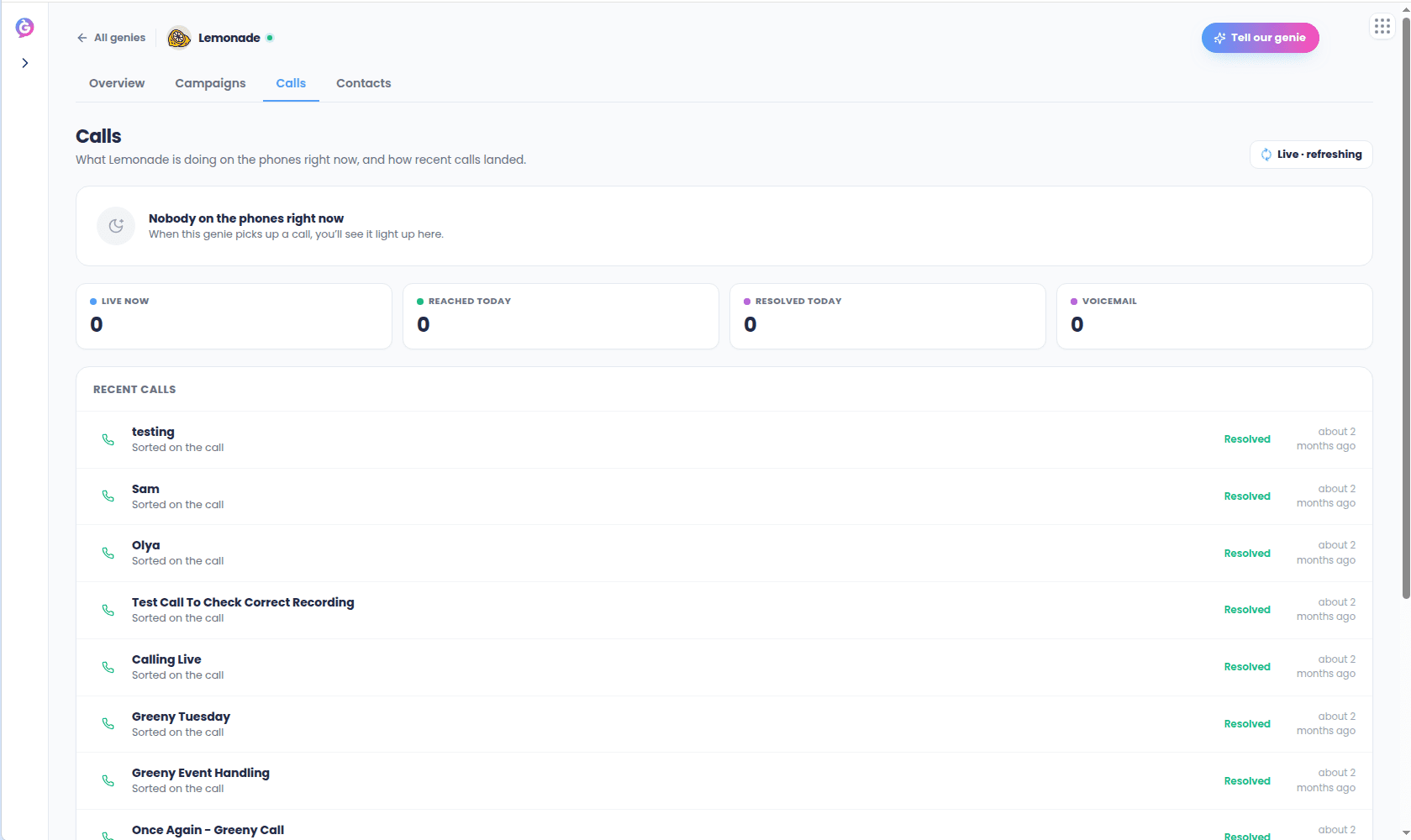
At the top, a live-now card shows the call happening this second (if any),
auto-refreshing while it's in progress. Below that, four day counters: **Live now**,
**Reached today**, **Resolved today**, and **Voicemail**. Then a feed of recent calls,
each showing the contact, a plain-language outcome, and a relative time.
 ## Outcomes
Every call resolves to one outcome, shown consistently across the live card, counters,
and feed:
| Outcome | Meaning |
| ----------- | -------------------------------------------------------------- |
| Live | On the call right now |
| Wrapping up | Call ended, still being analyzed |
| Resolved | Reached the contact and wrapped up on the call |
| Voicemail | Left a message, will retry |
| Callback | Booked a callback |
| No answer | Didn't connect |
| Escalated | Routed to a human |
| Opt-out | Blocked — the contact was on a do-not-call or suppression list |
## Call detail
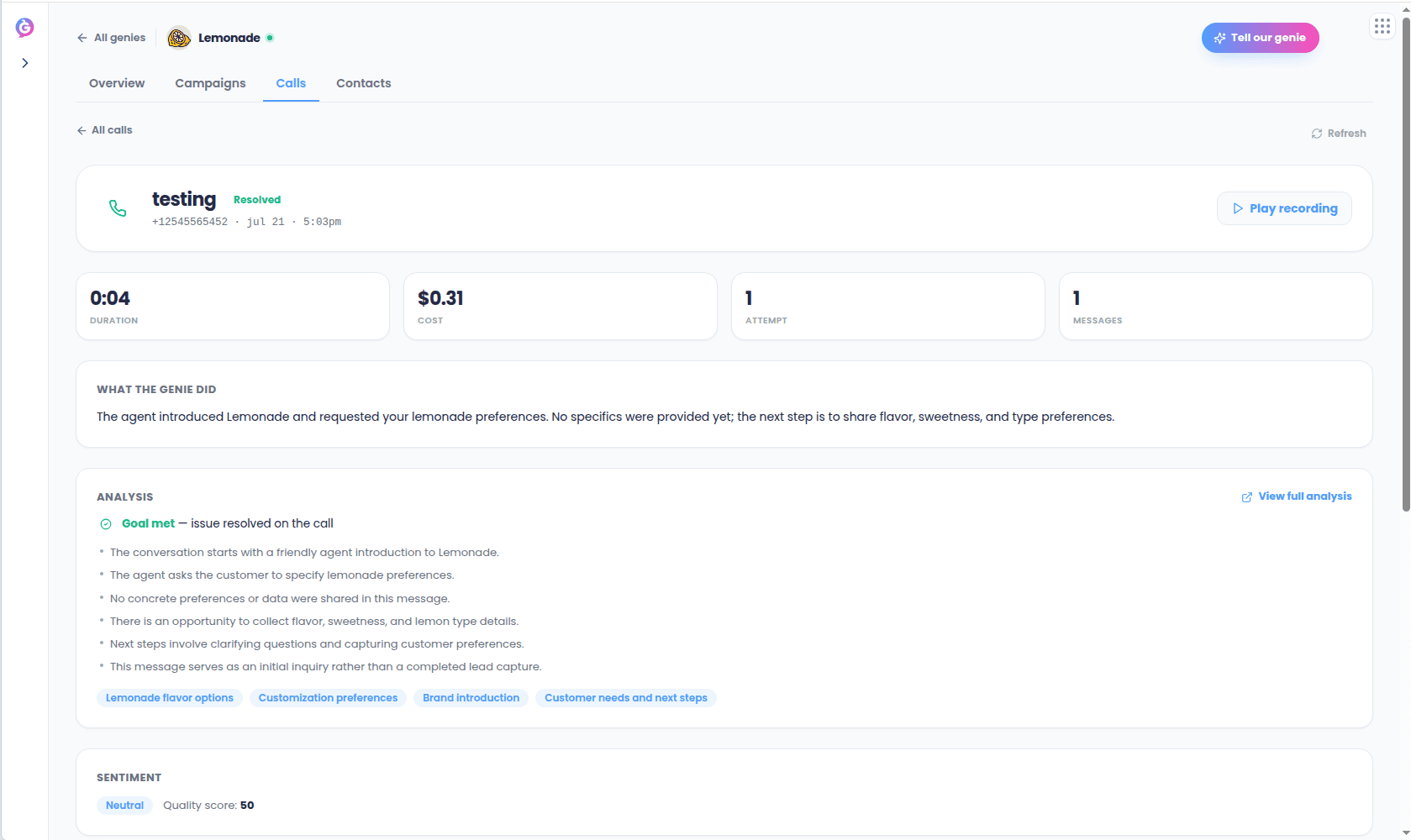
Selecting a call opens its detail view: a header with the contact and outcome, a stat
row, a plain-language summary of what the Genie did, an analysis section (whether the
goal was met, key insights, topics discussed) when available, sentiment (if scored), an
identifiers grid, and a full event timeline.
## Outcomes
Every call resolves to one outcome, shown consistently across the live card, counters,
and feed:
| Outcome | Meaning |
| ----------- | -------------------------------------------------------------- |
| Live | On the call right now |
| Wrapping up | Call ended, still being analyzed |
| Resolved | Reached the contact and wrapped up on the call |
| Voicemail | Left a message, will retry |
| Callback | Booked a callback |
| No answer | Didn't connect |
| Escalated | Routed to a human |
| Opt-out | Blocked — the contact was on a do-not-call or suppression list |
## Call detail
Selecting a call opens its detail view: a header with the contact and outcome, a stat
row, a plain-language summary of what the Genie did, an analysis section (whether the
goal was met, key insights, topics discussed) when available, sentiment (if scored), an
identifiers grid, and a full event timeline.
 If the Genie followed up by text, a **View text thread** link takes you to that
[SMS conversation](/outbound-guide/sms).
This view is read-only — there's no "call again" action here. Starting a new call goes
through the compliance-gated [launch](/outbound-guide/campaigns) or quick-call flow.
If the Genie followed up by text, a **View text thread** link takes you to that
[SMS conversation](/outbound-guide/sms).
This view is read-only — there's no "call again" action here. Starting a new call goes
through the compliance-gated [launch](/outbound-guide/campaigns) or quick-call flow.