> ## Documentation Index
> Fetch the complete documentation index at: https://docs.helpgenie.ai/llms.txt
> Use this file to discover all available pages before exploring further.
# SMS
> Follow up with a contact by text after a call
SMS is a follow-up text channel to a customer your Genie has already called.
SMS is not a bulk messaging or marketing tool — it only continues a conversation with a
contact your Genie has already been in touch with.
## The SMS thread
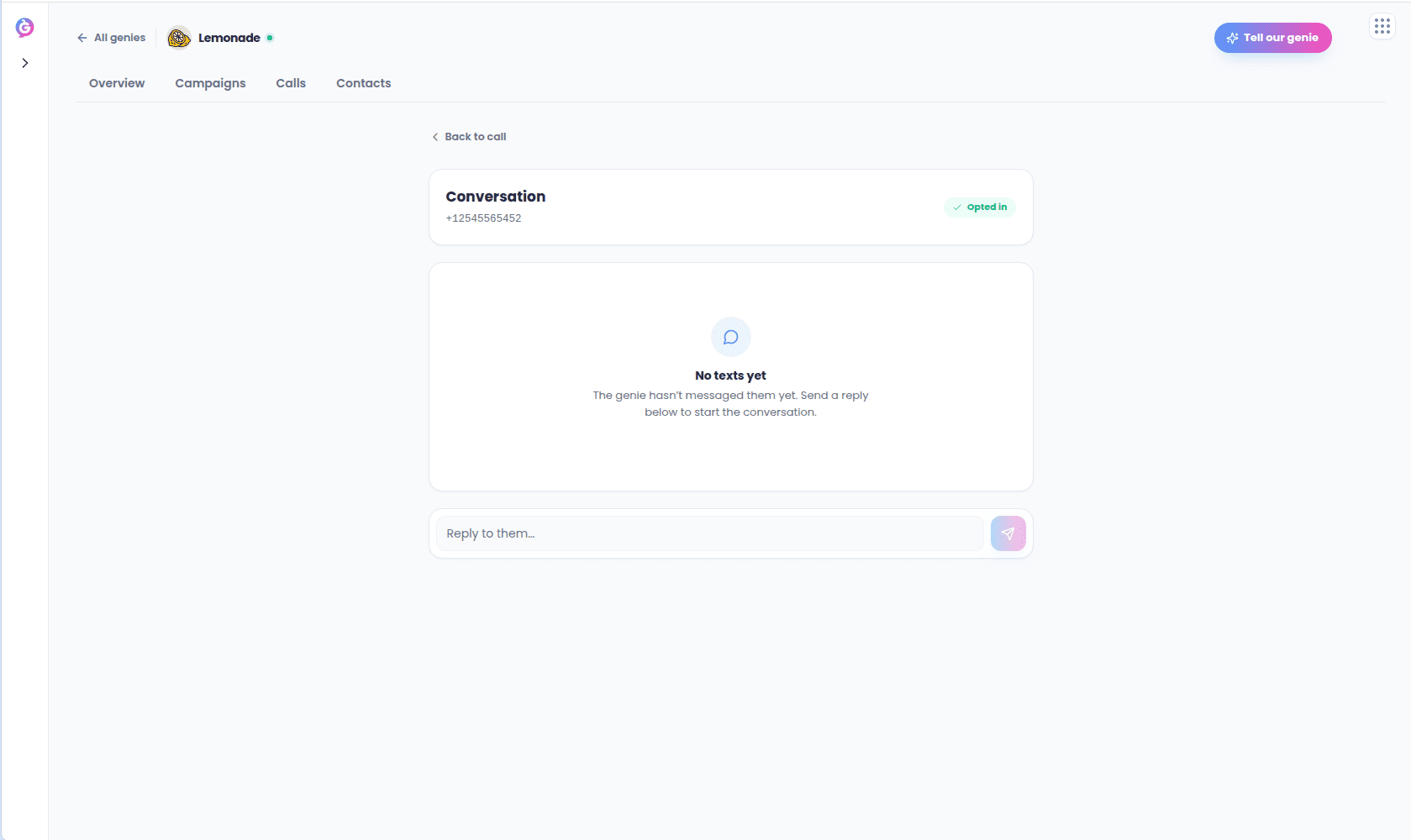
Opening a text thread (from a call's **View text thread** link, or from a contact in
[Audience detail](/outbound-guide/audiences)) shows a familiar message view:
* A contact header with an opt-in/opt-out state badge.
* A bubble thread with inbound messages on the left and outbound on the right, each with
a relative time and delivery status (Delivered, Queued, Not delivered, Failed) where
relevant.
* A reply composer at the bottom.
 Messages are grouped by day (Today, Yesterday, or the full date).
## Sending a message
Type a reply in the composer and send it. The message goes out through your Genie's
number via the same suppression checks used for calls.
## Opted-out contacts
If a contact has opted out or is otherwise suppressed, the composer is replaced by a
blocked banner and no message can be sent.
The block mirrors the same suppression rule Outbound enforces on every send, so it
can't be worked around from the screen.
Messages are grouped by day (Today, Yesterday, or the full date).
## Sending a message
Type a reply in the composer and send it. The message goes out through your Genie's
number via the same suppression checks used for calls.
## Opted-out contacts
If a contact has opted out or is otherwise suppressed, the composer is replaced by a
blocked banner and no message can be sent.
The block mirrors the same suppression rule Outbound enforces on every send, so it
can't be worked around from the screen.