> ## Documentation Index
> Fetch the complete documentation index at: https://docs.helpgenie.ai/llms.txt
> Use this file to discover all available pages before exploring further.
# Capabilities
> Give your genie the ability to look things up and take action, live, during a call.
Capabilities are what your genie can *do* mid-call — not just what it already knows, but what it can go check or act on while a customer is on the line. Think "what's the status of my order," or "do you have this in a size 10," answered with the real, current answer instead of a guess.
## How a capability works
Each capability is built around one of your [connections](/sync-guide/connections) — a capability to check order status might use your order management system; a capability to look up account details might use your CRM. You describe what the capability should do, and your genie learns to reach for it exactly when a caller's question calls for it.
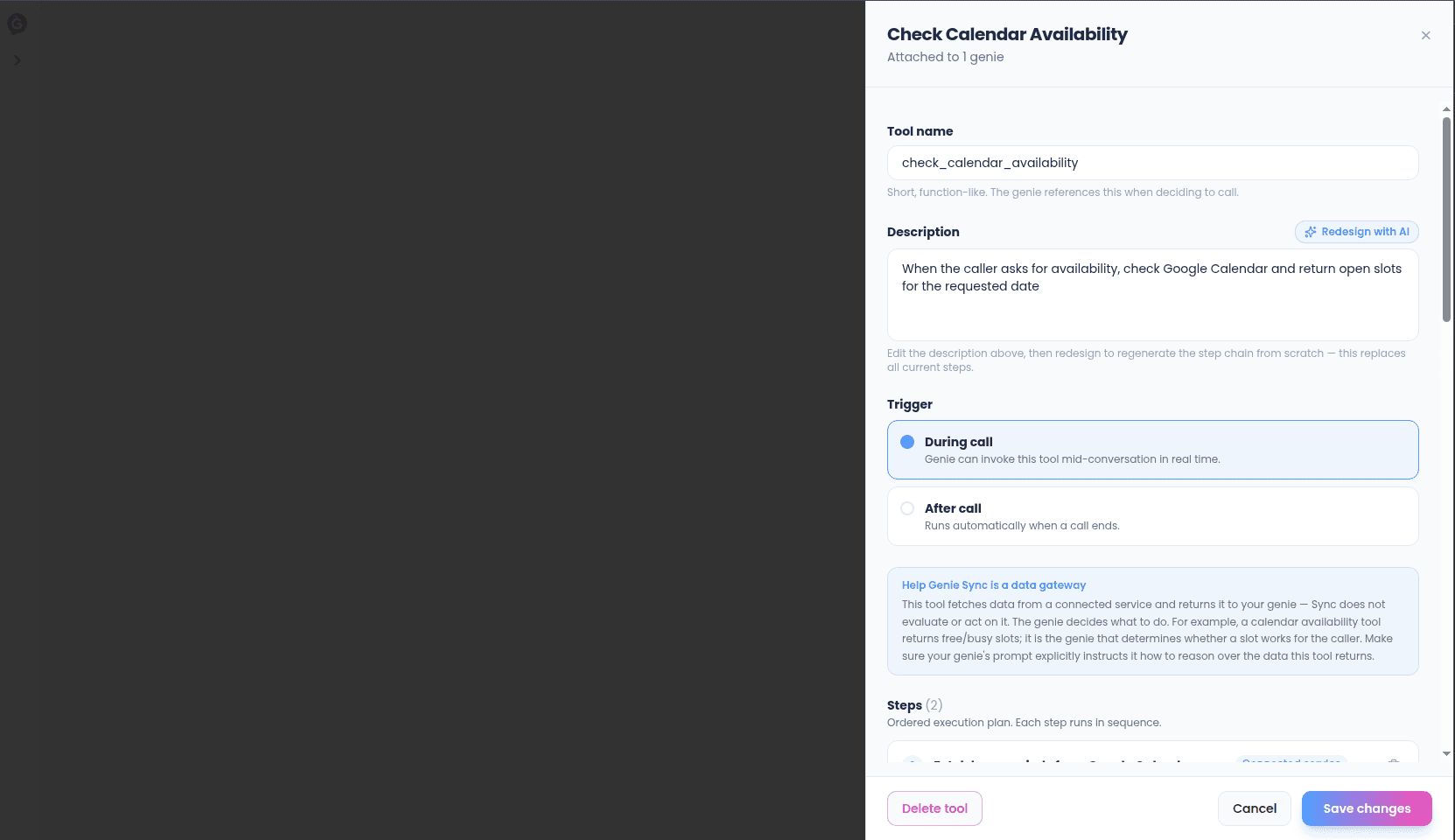 ## Building one
1. Choose the connection the capability should use.
2. Describe what it does in plain language — this is what helps your genie recognize when to use it.
3. Test it before turning it on, so you can see exactly what your genie will receive back.
4. Assign it to one or more genies.
## Speed matters
Capabilities run live, while someone is on the phone, so they're built to respond quickly. If a capability is consistently slow, you'll see that reflected in its activity — worth checking the system it depends on.
## Turning capabilities on and off
Every genie's **During** tab lists its assigned capabilities with a simple on/off switch — no need to rebuild anything to temporarily disable one.
## Building one
1. Choose the connection the capability should use.
2. Describe what it does in plain language — this is what helps your genie recognize when to use it.
3. Test it before turning it on, so you can see exactly what your genie will receive back.
4. Assign it to one or more genies.
## Speed matters
Capabilities run live, while someone is on the phone, so they're built to respond quickly. If a capability is consistently slow, you'll see that reflected in its activity — worth checking the system it depends on.
## Turning capabilities on and off
Every genie's **During** tab lists its assigned capabilities with a simple on/off switch — no need to rebuild anything to temporarily disable one.