> ## Documentation Index
> Fetch the complete documentation index at: https://docs.helpgenie.ai/llms.txt
> Use this file to discover all available pages before exploring further.
# Getting Started
> Complete the setup wizard to get your first genie running in Sync.
Getting your first genie set up in Sync takes a few minutes.
## 1. Your Voice account is linked automatically
Sync works alongside Help Genie Voice — the two are connected automatically, with no API key or manual setup required. As soon as you sign in to Sync, your Voice genies appear ready to configure.
## 2. Walk through the setup wizard
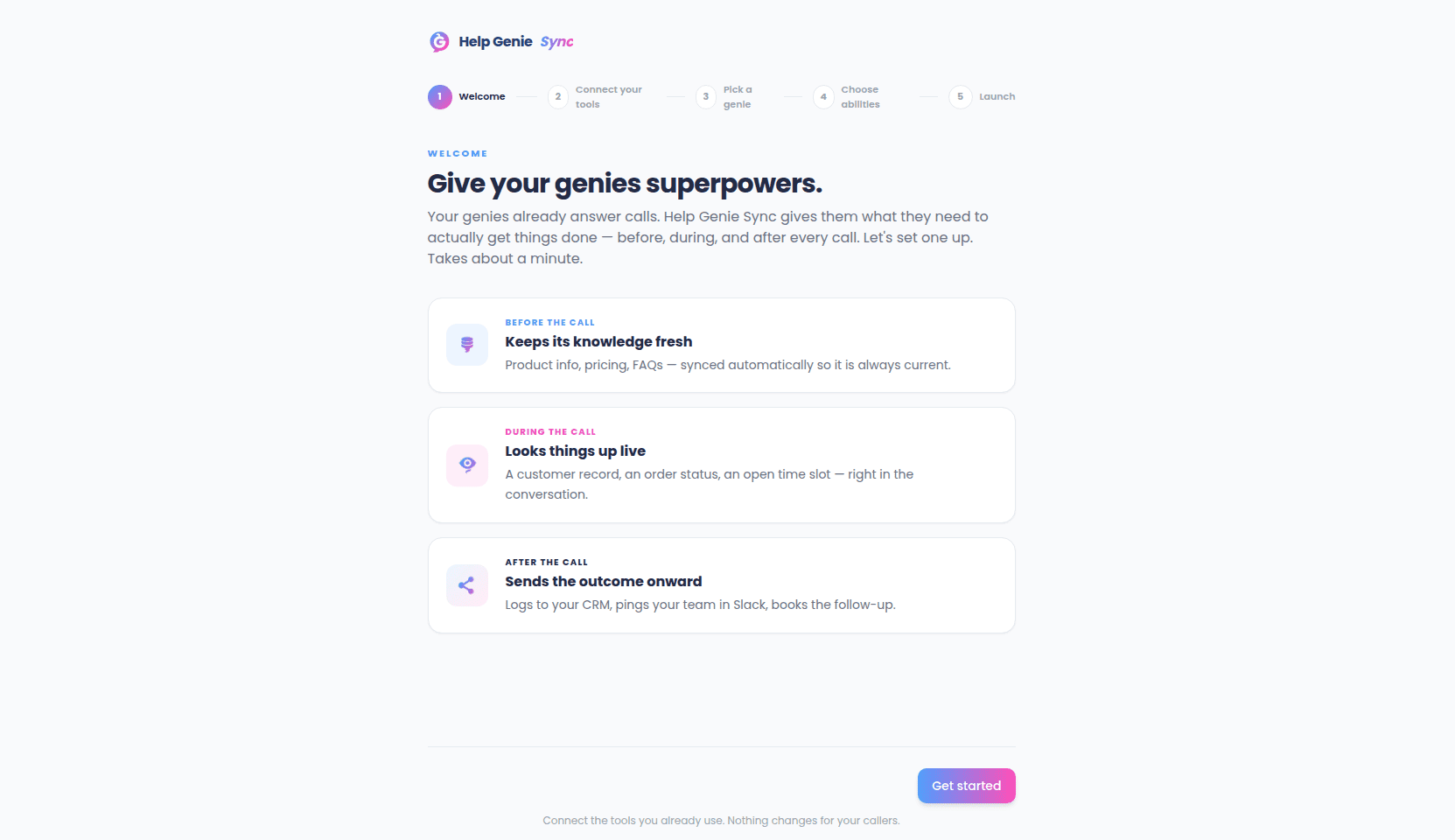
The first time you sign in, Sync walks you through five short steps:
1. **Welcome** — a quick tour of the before/during/after model.
2. **Connect** — one-click connect to common tools like HubSpot, Slack, and Google Calendar, or browse the full catalog of supported apps.
3. **Pick a genie** — choose which of your Voice genies you're configuring.
4. **Capabilities** — turn on the abilities you want your genie to have (for example, checking order status, or posting a recap to Slack after each call).
5. **Launch** — a quick recap of everything you've turned on, then you're in.
 ## 3. You're set up — now what?
From here, everything lives on your genie's page, organized by Before, During, and After tabs. Start with whichever part matters most to you:
* Want your genie to know more? Start with [Knowledge Sync](/sync-guide/knowledge-sync).
* Want it to look things up live? Start with [Capabilities](/sync-guide/capabilities).
* Want something to happen after every call? Start with [Post-Call Actions](/sync-guide/post-call-actions).
You can always revisit connections, capabilities, and knowledge sources later — nothing in the wizard is a one-time decision.
## 3. You're set up — now what?
From here, everything lives on your genie's page, organized by Before, During, and After tabs. Start with whichever part matters most to you:
* Want your genie to know more? Start with [Knowledge Sync](/sync-guide/knowledge-sync).
* Want it to look things up live? Start with [Capabilities](/sync-guide/capabilities).
* Want something to happen after every call? Start with [Post-Call Actions](/sync-guide/post-call-actions).
You can always revisit connections, capabilities, and knowledge sources later — nothing in the wizard is a one-time decision.