> ## Documentation Index
> Fetch the complete documentation index at: https://docs.helpgenie.ai/llms.txt
> Use this file to discover all available pages before exploring further.
# Knowledge Sync
> Keep your genie's knowledge current, automatically.
Knowledge Sync is how your genie stays up to date on your business — your policies, prices, products, and anything else customers ask about — without anyone having to manually retrain it.
## What you can sync from
* **A spreadsheet** — point Sync at a Google Sheet and every row becomes something your genie can answer from.
* **An API** — pull structured data straight from your own systems.
* **A web page** — hand Sync a URL and it reads the page into your genie's knowledge.
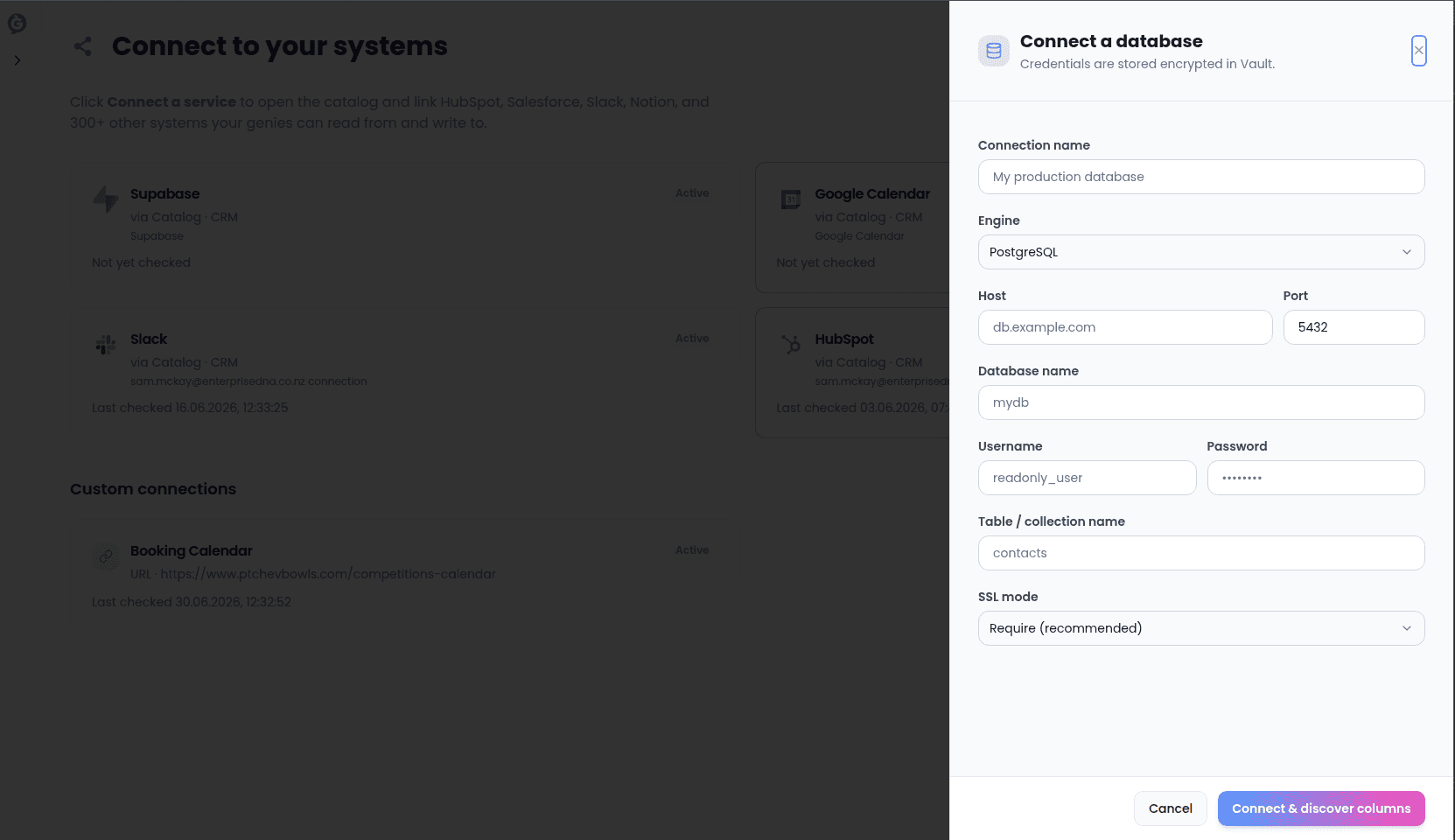
* **A custom database or app** — anything you've already connected (see [Connections](/sync-guide/connections)) can be used as a knowledge source.
 ## Keeping it fresh
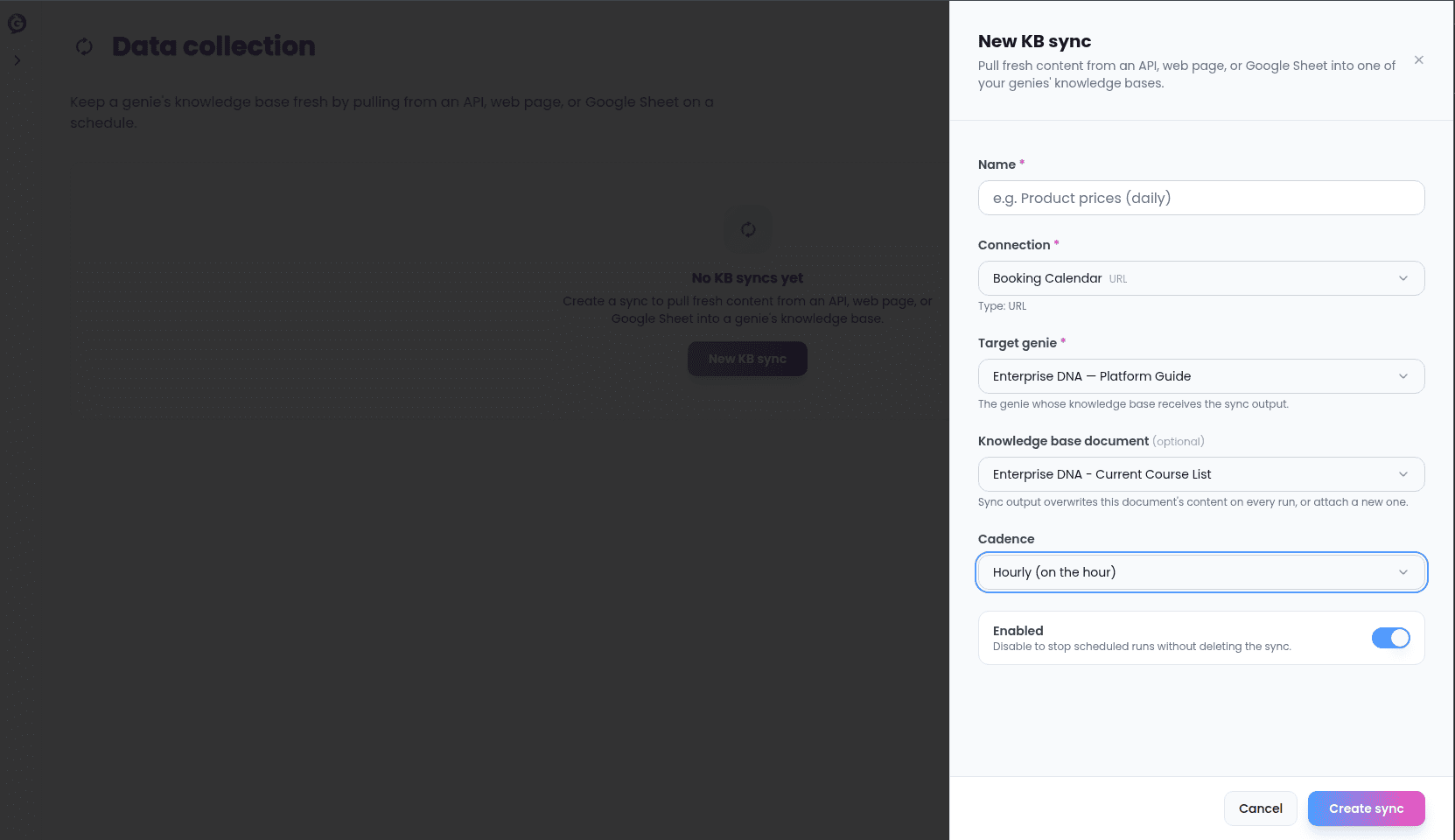
Each knowledge sync runs on a schedule you choose — every hour, every day, or whatever cadence matches how often your information actually changes. When a sync runs, your genie's knowledge updates automatically; there's nothing to re-upload and nothing to retrain.
## Keeping it fresh
Each knowledge sync runs on a schedule you choose — every hour, every day, or whatever cadence matches how often your information actually changes. When a sync runs, your genie's knowledge updates automatically; there's nothing to re-upload and nothing to retrain.
 ## Checking on a sync
Every sync's page shows you when it last ran, whether it succeeded, and how much information it brought in. If a sync fails — say, a spreadsheet was moved or an API went down — you'll see that clearly, and can fix the source and try again without waiting for the next scheduled run.
## Before tab, per genie
You can manage all your knowledge syncs in one place, or from a specific genie's **Before** tab if you only want to see what's feeding that genie.
## Checking on a sync
Every sync's page shows you when it last ran, whether it succeeded, and how much information it brought in. If a sync fails — say, a spreadsheet was moved or an API went down — you'll see that clearly, and can fix the source and try again without waiting for the next scheduled run.
## Before tab, per genie
You can manage all your knowledge syncs in one place, or from a specific genie's **Before** tab if you only want to see what's feeding that genie.