> ## Documentation Index
> Fetch the complete documentation index at: https://docs.helpgenie.ai/llms.txt
> Use this file to discover all available pages before exploring further.
# Sign In
> Get into Help Genie Sync with a magic link — no password needed.
Sync doesn't use passwords. You sign in by asking for a one-time link, then clicking that link from your email on the same device.
 ## Signing in
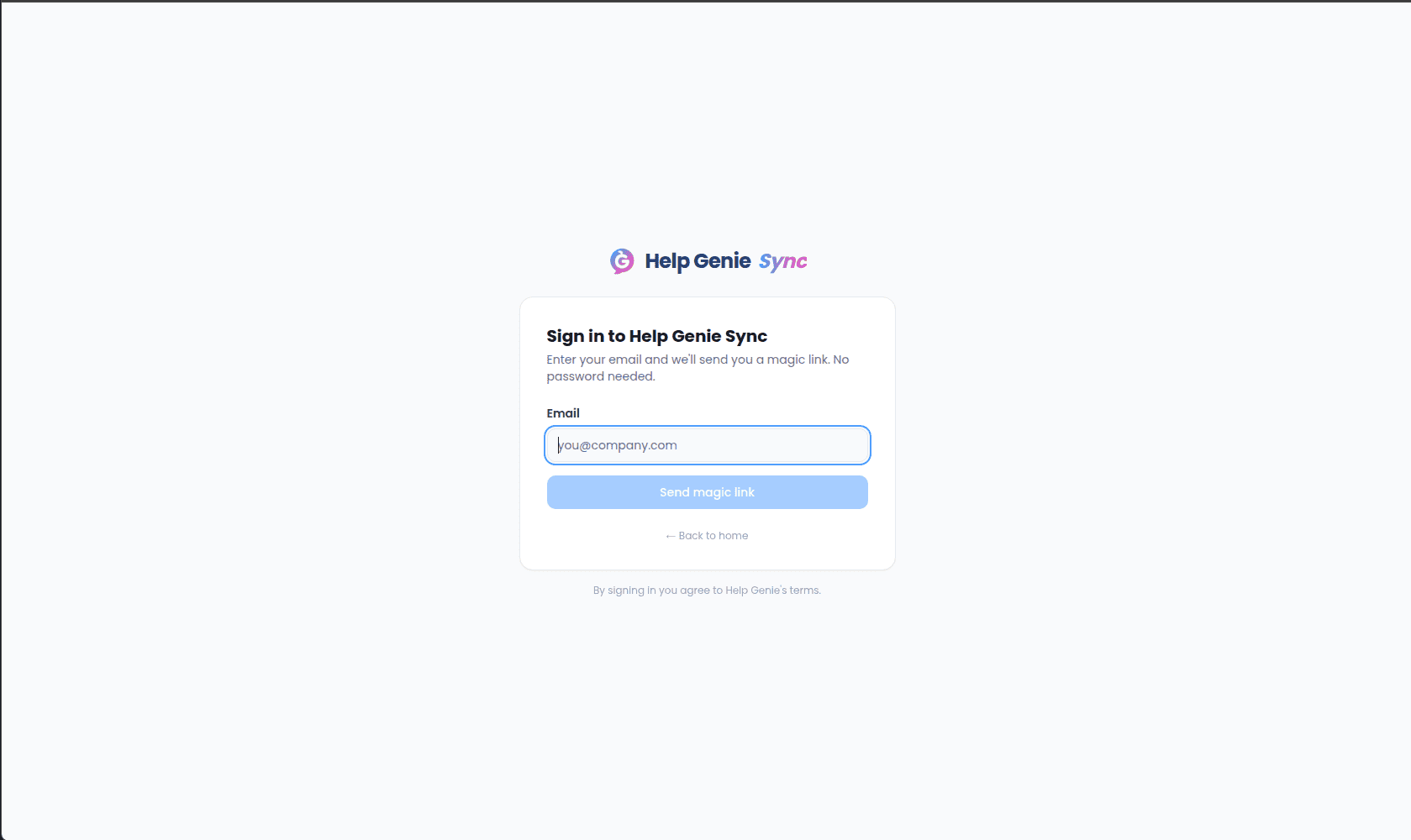
Go to `/login`.
Type the email address you use for Help Genie and click **Send magic link**.
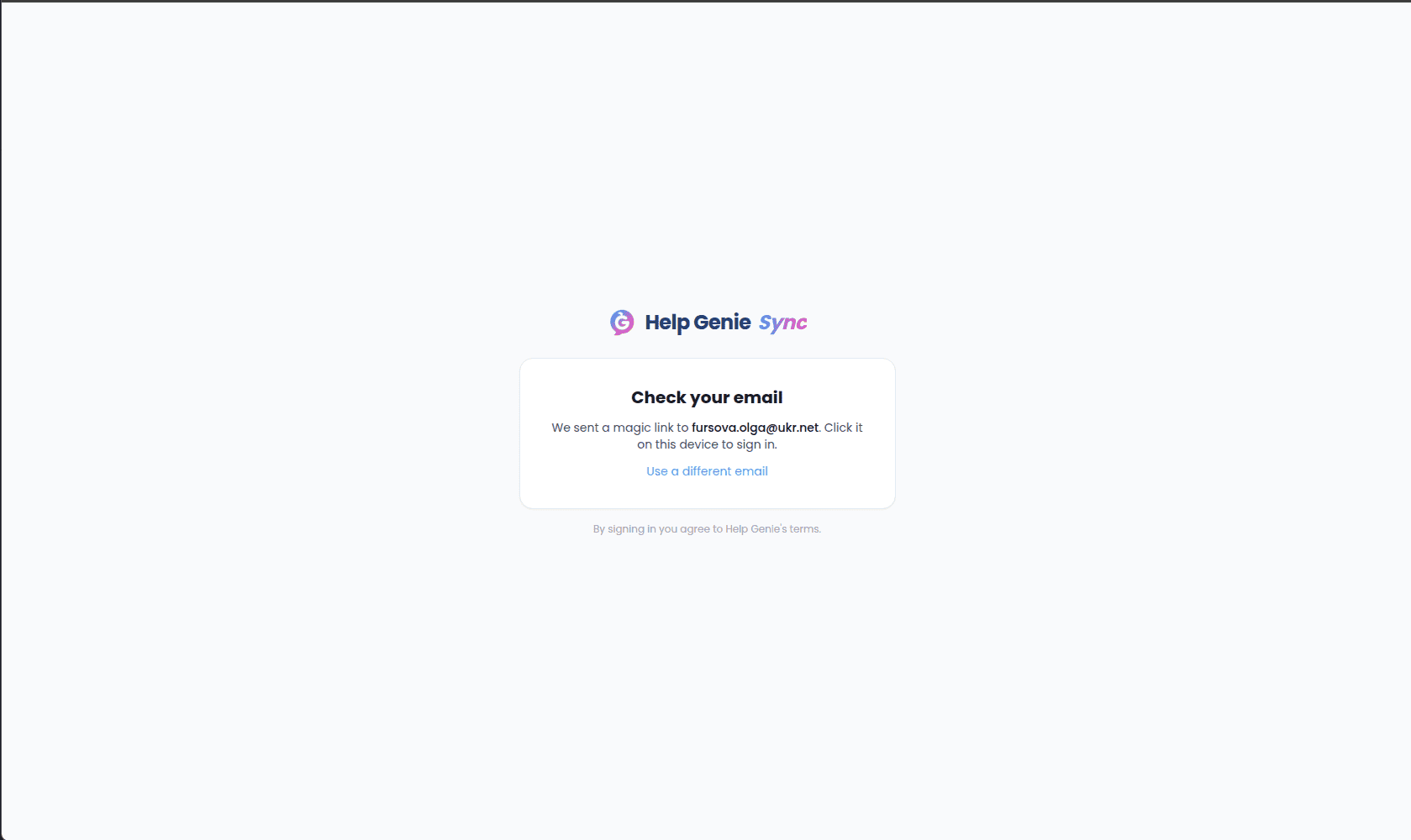
The card switches to **Check your email** — confirming which address the link was sent to.
Open the email on the same device and click the magic link. You'll land back in Sync, signed in, on the page you were trying to reach.
If you typed the wrong address, click **Use a different email** to go back to the form without losing your place.
## Signing in
Go to `/login`.
Type the email address you use for Help Genie and click **Send magic link**.
The card switches to **Check your email** — confirming which address the link was sent to.
Open the email on the same device and click the magic link. You'll land back in Sync, signed in, on the page you were trying to reach.
If you typed the wrong address, click **Use a different email** to go back to the form without losing your place.
 ## Coming from Help Genie Voice
If you're already signed into Help Genie Voice and you click through to Sync from there, you won't see the sign-in form at all — Voice hands you off with a signed link and Sync signs you in behind a brief **Signing you in…** screen before dropping you on the page you asked for.
## When the link doesn't work
Magic links are single-use and expire quickly for security.
If a hand-off link from Help Genie fails, Sync shows one of a few messages on the sign-in page:
* **Your sign-in link has expired** — head back to Help Genie and try the link again to generate a fresh one.
* **Your sign-in link is invalid** — usually means it was already used, or something in the URL got truncated when it was copied. Return to Help Genie and try again.
* **Sign-in failed. Please use the magic link below** — the hand-off couldn't complete; fall back to typing your email into the form and using a magic link instead.
* **Network error during sign-in** — retry after a moment; if it keeps failing, use the magic-link form.
You can always type your email into the form and request a fresh magic link, whichever error you saw.
## Staying signed in
Once you're in, Sync keeps you signed in on that device until you sign out or your session times out. You only need to repeat the magic-link step when you switch devices, use a private/incognito window, or you've been away long enough for the session to end.
## Coming from Help Genie Voice
If you're already signed into Help Genie Voice and you click through to Sync from there, you won't see the sign-in form at all — Voice hands you off with a signed link and Sync signs you in behind a brief **Signing you in…** screen before dropping you on the page you asked for.
## When the link doesn't work
Magic links are single-use and expire quickly for security.
If a hand-off link from Help Genie fails, Sync shows one of a few messages on the sign-in page:
* **Your sign-in link has expired** — head back to Help Genie and try the link again to generate a fresh one.
* **Your sign-in link is invalid** — usually means it was already used, or something in the URL got truncated when it was copied. Return to Help Genie and try again.
* **Sign-in failed. Please use the magic link below** — the hand-off couldn't complete; fall back to typing your email into the form and using a magic link instead.
* **Network error during sign-in** — retry after a moment; if it keeps failing, use the magic-link form.
You can always type your email into the form and request a fresh magic link, whichever error you saw.
## Staying signed in
Once you're in, Sync keeps you signed in on that device until you sign out or your session times out. You only need to repeat the magic-link step when you switch devices, use a private/incognito window, or you've been away long enough for the session to end.