> ## Documentation Index
> Fetch the complete documentation index at: https://docs.helpgenie.ai/llms.txt
> Use this file to discover all available pages before exploring further.
# Suite Apps
> Meet the Help Genie Suite apps — Mail, Outbound and Sync. Each is a companion app you reach from its splash page inside Genie Hub.
The Help Genie **Suite** is a set of companion apps that extend what your genies can do beyond voice. Each one lives in its own dedicated app, and inside Genie Hub you get a splash page that introduces the product and takes you there.
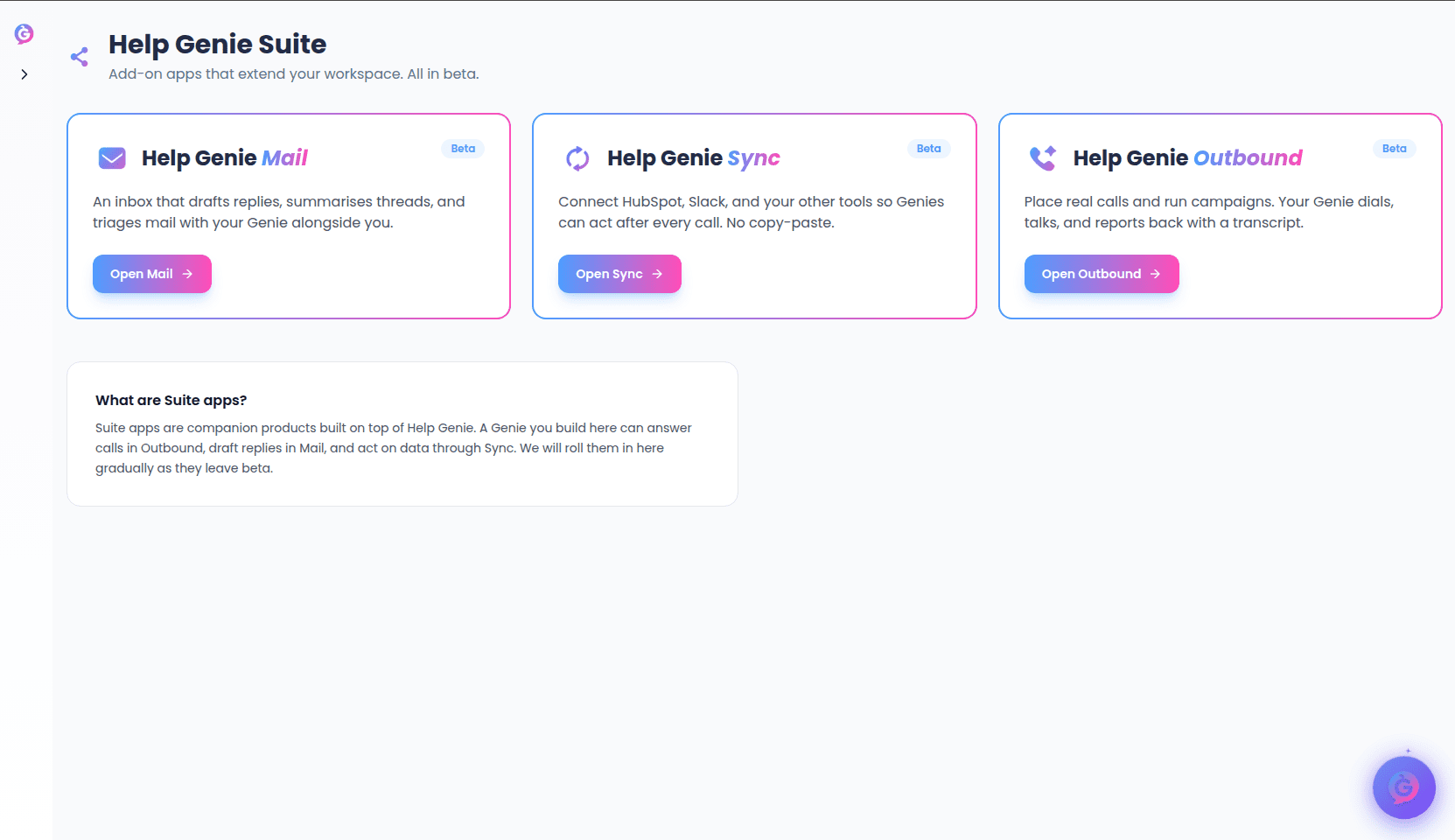 All three apps are in **early access**, so every splash page works the same way:
* A short introduction to what the product does.
* A **Beta** badge noting it's early access.
* **Contact Sam** — books a discovery call so the team can scope the product for your business.
* **See what is possible** — opens the companion app in a new tab, already signed in with your Help Genie account.
Because these are early-access apps, access is arranged with the team. If **See what is possible** doesn't let you in yet, use **Contact Sam** to request access.
## Mail
**Where to find it:** Genie Hub → Channels → Mail (`/genie-hub/channels/mail`)
Help Genie Mail brings Gmail and Outlook together into one place, then handles triage, replies and follow-ups in the background. The idea is a quiet inbox: the only messages you see are the ones that actually need you.
Mail is **invite-only** and currently onboarding teams. From the splash page:
* Select **See what is possible** to open the Mail app in a new tab (you'll arrive already signed in).
* Or select **Contact Sam** to book a call and get your team set up.
## Outbound
**Where to find it:** Genie Hub → Channels → Outbound (`/genie-hub/channels/outbound`)
Help Genie Outbound lets your genie place real phone calls and run calling campaigns end to end. Your genie dials, talks, listens, and then reports back with a transcript, a recommended next step, and the contact updated in your CRM.
From the splash page:
* Select **See what is possible** to open the Outbound app in a new tab, already signed in.
* Or select **Contact Sam** to scope a calling campaign for your business.
## Sync
**Where to find it:** Genie Hub → Channels → Sync (`/genie-hub/channels/sync`)
Sync is a bolt-on for Help Genie Voice that lets your genie act across the other tools you run. It gives your genie a secure vault of credentials, a library of reusable recipes, and a durable workflow engine — so it can read, write and take action in the systems where your work actually happens.
From the splash page:
* Select **See what is possible** to open the Sync app in a new tab, already signed in.
* Or select **Contact Sam** to talk through the workflows you'd like to connect.
All three apps are in **early access**, so every splash page works the same way:
* A short introduction to what the product does.
* A **Beta** badge noting it's early access.
* **Contact Sam** — books a discovery call so the team can scope the product for your business.
* **See what is possible** — opens the companion app in a new tab, already signed in with your Help Genie account.
Because these are early-access apps, access is arranged with the team. If **See what is possible** doesn't let you in yet, use **Contact Sam** to request access.
## Mail
**Where to find it:** Genie Hub → Channels → Mail (`/genie-hub/channels/mail`)
Help Genie Mail brings Gmail and Outlook together into one place, then handles triage, replies and follow-ups in the background. The idea is a quiet inbox: the only messages you see are the ones that actually need you.
Mail is **invite-only** and currently onboarding teams. From the splash page:
* Select **See what is possible** to open the Mail app in a new tab (you'll arrive already signed in).
* Or select **Contact Sam** to book a call and get your team set up.
## Outbound
**Where to find it:** Genie Hub → Channels → Outbound (`/genie-hub/channels/outbound`)
Help Genie Outbound lets your genie place real phone calls and run calling campaigns end to end. Your genie dials, talks, listens, and then reports back with a transcript, a recommended next step, and the contact updated in your CRM.
From the splash page:
* Select **See what is possible** to open the Outbound app in a new tab, already signed in.
* Or select **Contact Sam** to scope a calling campaign for your business.
## Sync
**Where to find it:** Genie Hub → Channels → Sync (`/genie-hub/channels/sync`)
Sync is a bolt-on for Help Genie Voice that lets your genie act across the other tools you run. It gives your genie a secure vault of credentials, a library of reusable recipes, and a durable workflow engine — so it can read, write and take action in the systems where your work actually happens.
From the splash page:
* Select **See what is possible** to open the Sync app in a new tab, already signed in.
* Or select **Contact Sam** to talk through the workflows you'd like to connect.