

The Calls tab
At the top, a live-now card shows the call happening this second (if any), auto-refreshing while it’s in progress. Below that, four day counters: Live now, Reached today, Resolved today, and Voicemail. Then a feed of recent calls, each showing the contact, a plain-language outcome, and a relative time.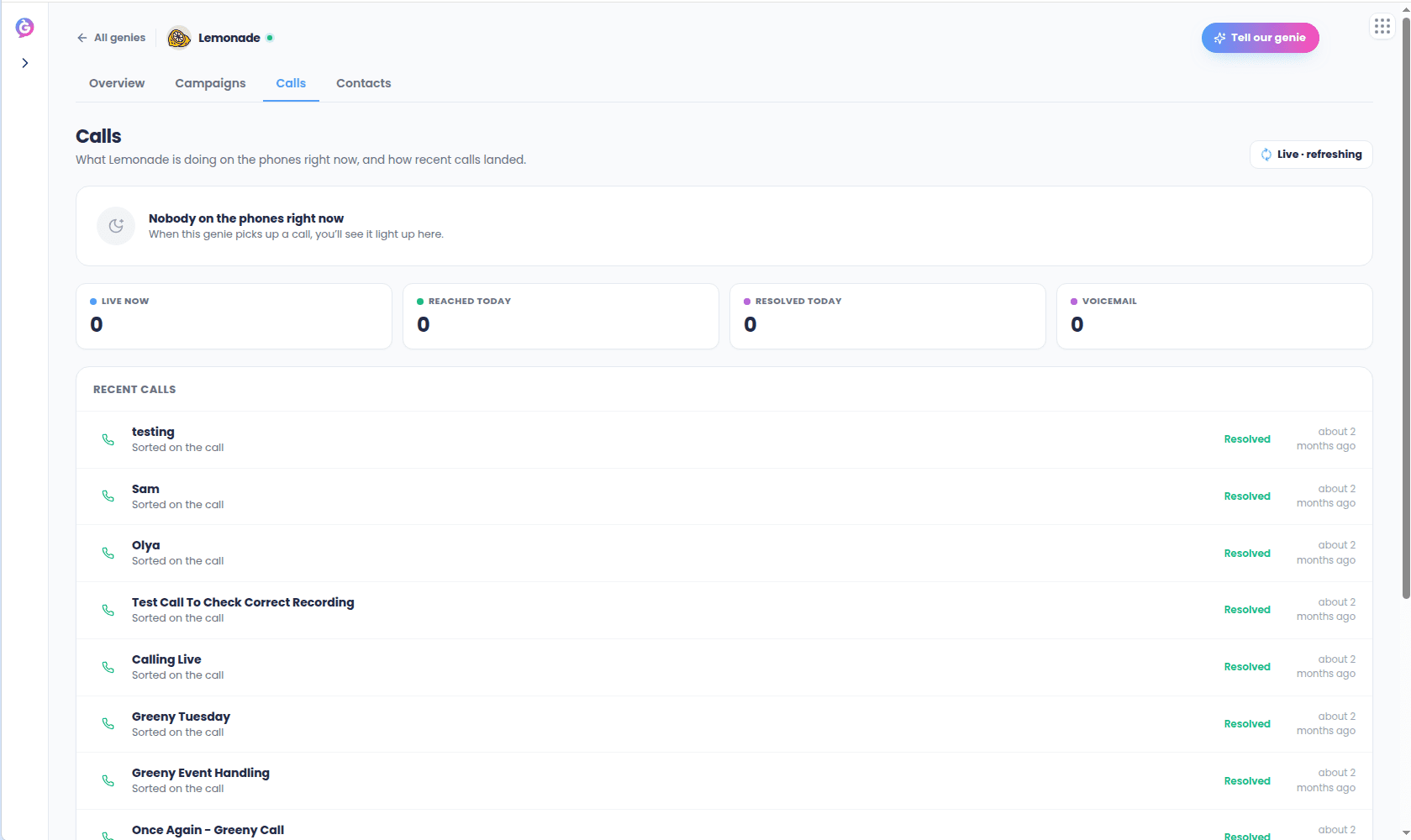
Outcomes
Every call resolves to one outcome, shown consistently across the live card, counters, and feed:Call detail
Selecting a call opens its detail view: a header with the contact and outcome, a stat row, a plain-language summary of what the Genie did, an analysis section (whether the goal was met, key insights, topics discussed) when available, sentiment (if scored), an identifiers grid, and a full event timeline.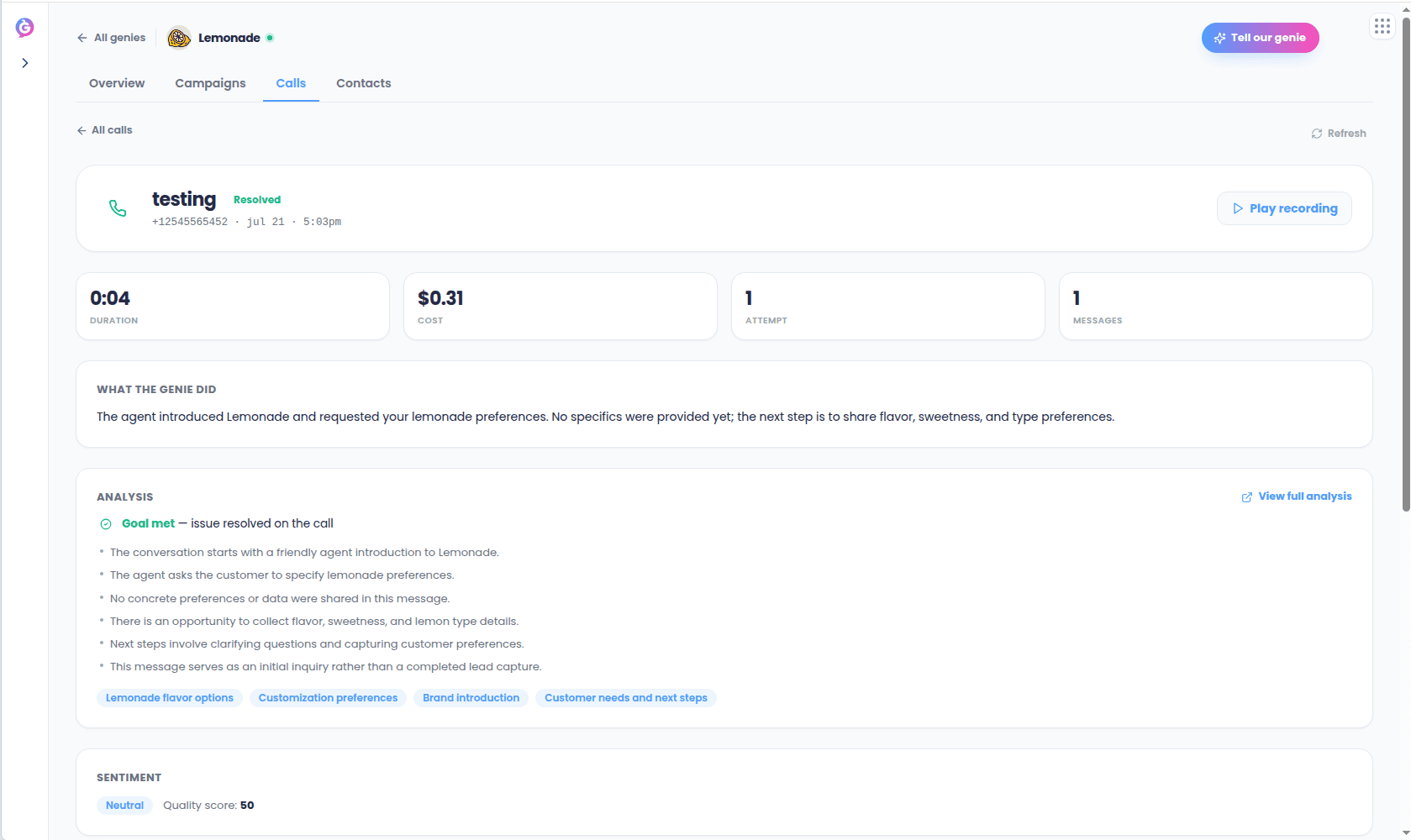
This view is read-only — there’s no “call again” action here. Starting a new call goes
through the compliance-gated launch or quick-call flow.