One-click connect
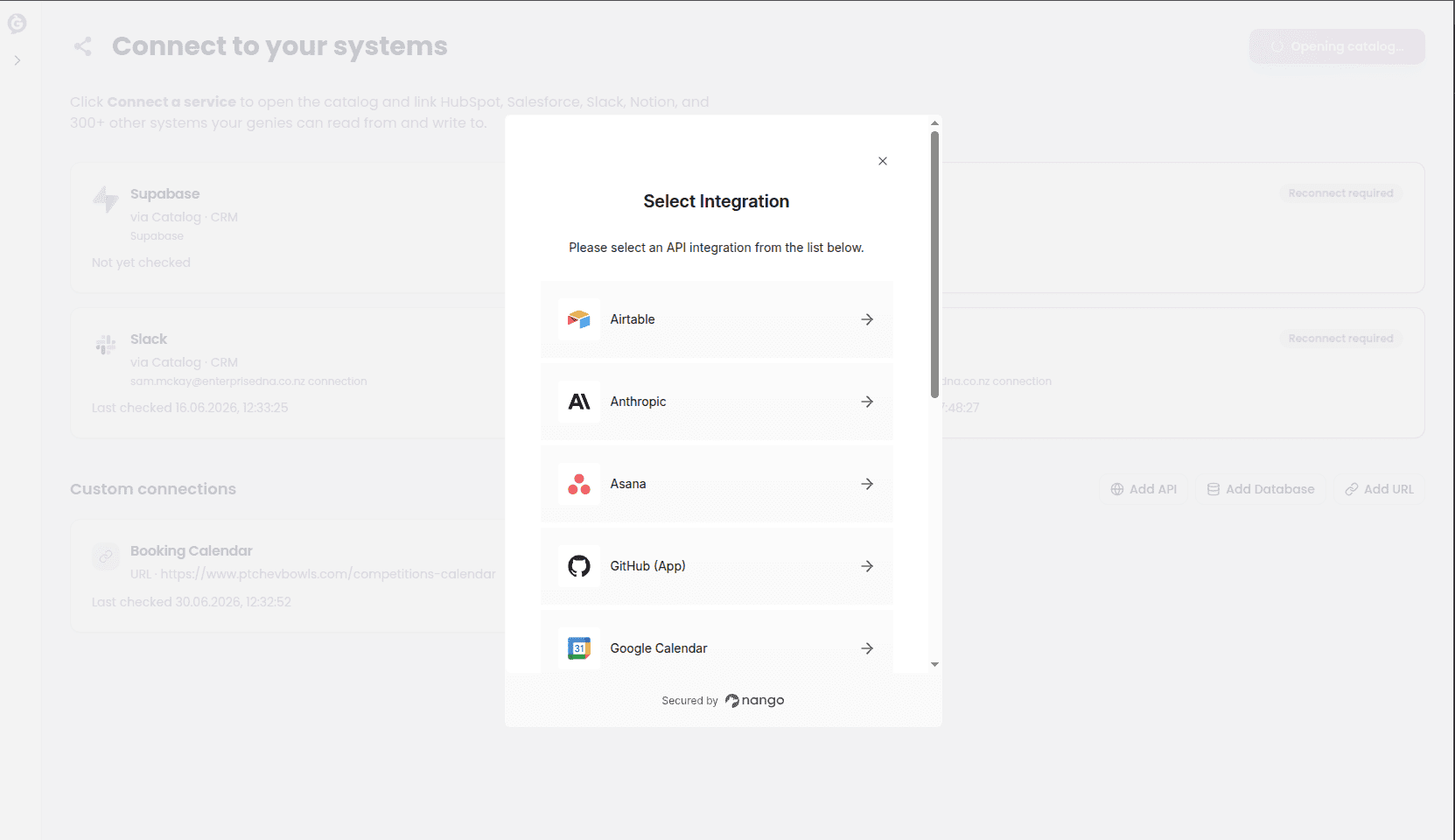
Click Connect a service to open the catalog and link HubSpot, Salesforce, Slack, Notion, and 300+ other systems your genies can use. You’ll be asked to sign in to that tool and approve access, the same way you’d connect any app to your Google account. No credentials to copy, nothing to configure by hand.If the catalog isn’t set up on your account yet, this button reads Catalog not configured and is disabled — contact whoever manages your account setup.
Connect your own system
For something more specific to your business — an internal tool, a database, or a website with no ready-made integration — use Add API, Add Database, or Add URL on the Custom Connections tab.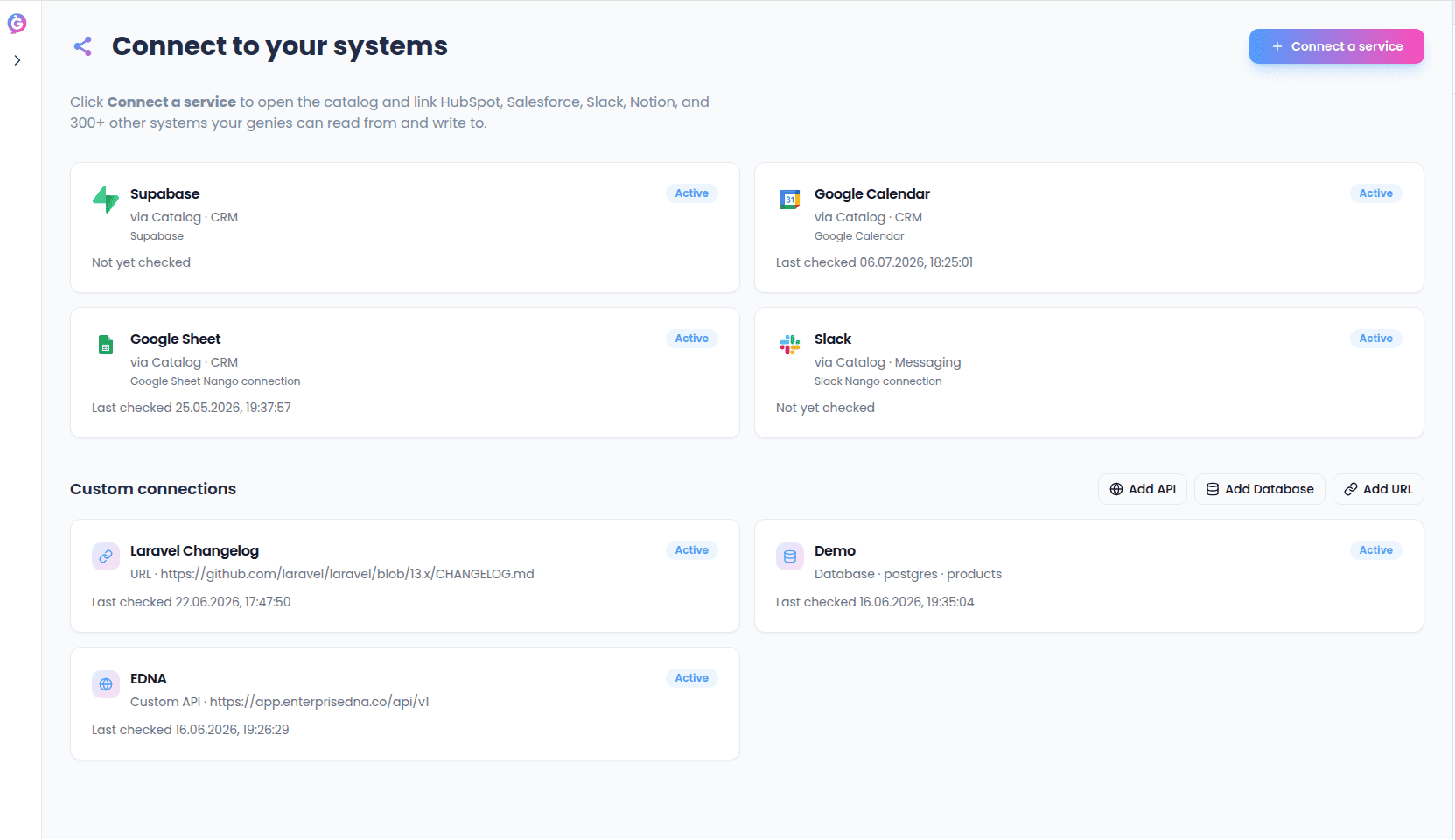
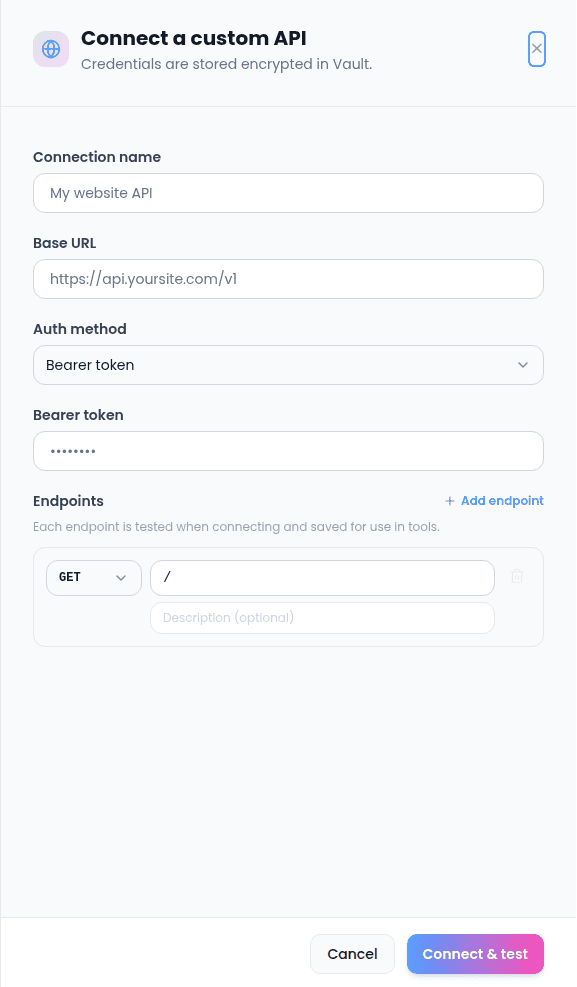
Add API
Use this to connect any service that has its own web API.- Name — whatever helps you recognize this connection later.
- Base URL — the address every call to this API starts from. If you don’t type
https://, Sync adds it for you. - Authentication method — how the API expects you to prove who you are:
- API key / Bearer token — paste a single key or token. You can optionally set the exact header name it should be sent in — leave this blank and Sync sends it as a standard
Authorization: Bearerheader, which is what most APIs expect. - Basic auth — a username and password.
- OAuth2 (client credentials) — a token URL, client ID, client secret, and optionally a list of scopes. Sync handles fetching and refreshing the token itself.
- API key / Bearer token — paste a single key or token. You can optionally set the exact header name it should be sent in — leave this blank and Sync sends it as a standard
- Endpoints — the specific paths on this API your capabilities will be able to call, each with its own method (GET, POST, PUT, PATCH, or DELETE) and a short description. Add as many as you need; every path must start with
/. Each endpoint is tested the moment you connect, and saved so it shows up as an option when you’re building a capability’s Connected service step.
Add Database
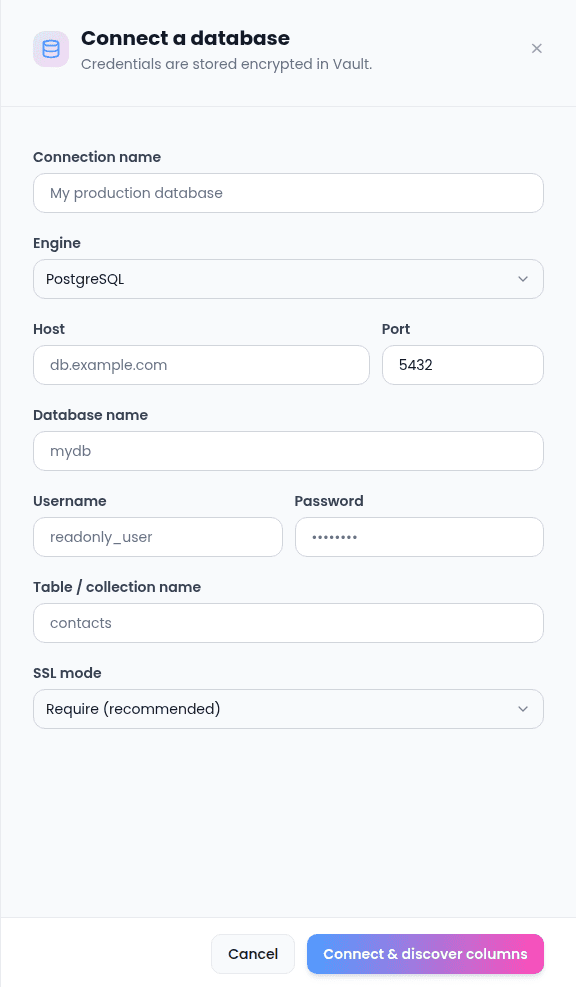
Use this to connect directly to a database table.- Name, engine (Postgres, MySQL, MongoDB, or SQL Server), host, port (filled in automatically for you based on the engine, but editable), database name, username, password.
- Table (or collection) name — a database connection points at exactly one table or collection.
- SSL mode — defaults to Require; loosen it only if you know your database doesn’t support SSL.
Add URL
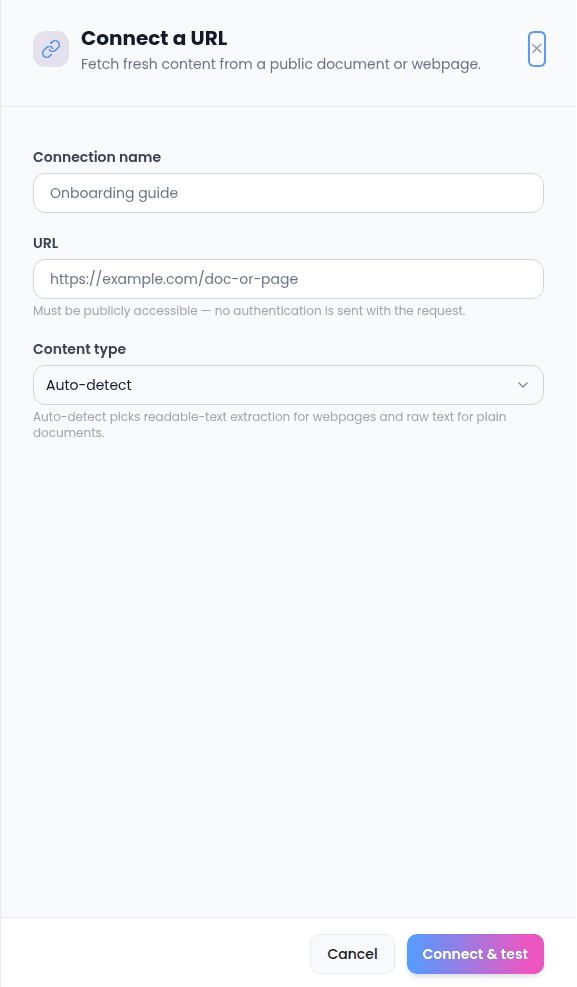
Use this for a plain web page or document with no API behind it at all — your own FAQ page, a public pricing page, a hosted document.- Name, URL (same
https://auto-fill as above). - How to read it — Auto (Sync figures out whether it’s a webpage or a plain document and extracts the readable text either way), HTML (force webpage-style extraction), or Text (force plain-text extraction).
The page or file has to be publicly reachable — Sync doesn’t send any login or credentials with this type of connection.
Managing connections
From the Connections page you can see everything you’re connected to, check its status at a glance, and reconnect anything that’s fallen out of sync. A connection can be:- Active — working normally.
- Paused — intentionally turned off; nothing using it will run until you turn it back on.
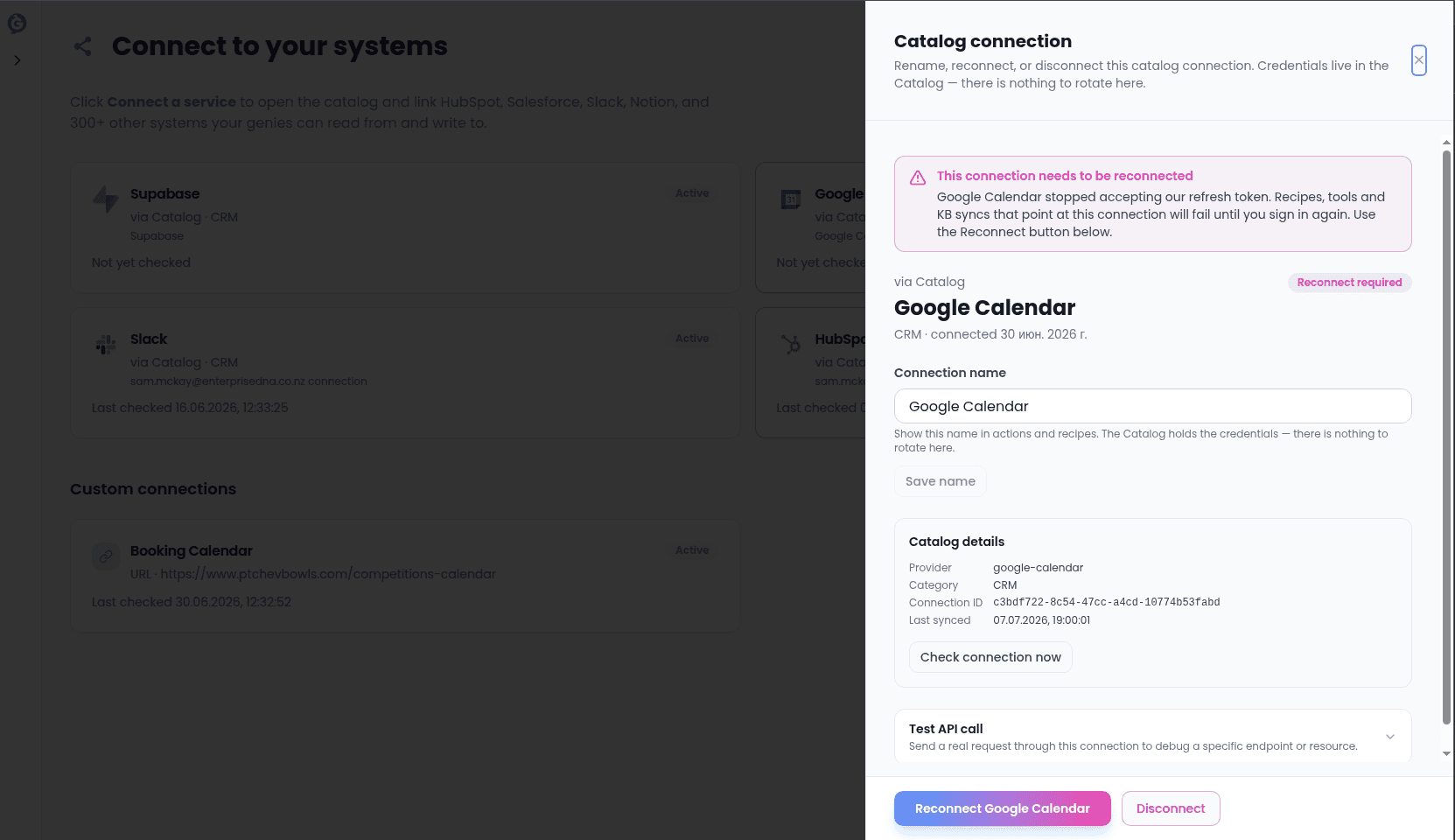
- Error / needs reconnecting — something failed, most often because access was revoked on the other side (a login expired, a password changed, someone removed the integration from the other app’s settings).