1. Link your Help Genie Voice account
Sync works alongside Help Genie Voice, and the two connect automatically — there’s nothing to set up. When you land on the Genies page, you’ll briefly see a Connecting Help Genie Voice… card while Sync binds your account; once it’s done, it’s replaced with a Help Genie Voice connected card, and your genies are ready to pick from.Nothing else in Sync works until this finishes, since every genie you manage here comes from Voice.
2. Pick which genies to manage here
Sync doesn’t create genies — it powers up genies that already exist in Voice. Once you’re linked, go to the Genies page and click Choose genies to pick which of your Voice genies you want to configure in Sync. You can change this selection at any time. See Your Genies for the full picture of this page.3. Connect a system
Before a genie can know anything current or take any action, Sync needs something to connect to. Go to Connections and link at least one system — HubSpot and Slack are the fastest to set up and have ready-made automations waiting for them. See Connections for every connection type and what each one needs.4. Give the genie something to know (optional but recommended)
On the genie’s own page, open the Before tab and set up a knowledge sync pointed at the connection you just made — a Notion database, a spreadsheet, an API, whatever holds the information customers ask about. This is what keeps the genie’s answers current without anyone re-uploading anything.5. Give the genie something to check live (optional but recommended)
Open the During tab and add a capability — something the genie can look up mid-call, like an order status or stock availability. This is also where you’ll see the 400-millisecond response budget live lookups have to work within.6. Give the genie something to do after the call (optional but recommended)
Open the After tab and add a post-call action — logging the call to HubSpot, posting a recap to Slack, sending the caller a follow-up email. This runs automatically the moment the call ends, no genie decision involved.7. Turn on notifications for yourself (optional)
If you want to know when any of this fires, connect a notification channel — Slack, Telegram, WhatsApp, or a webhook into Zapier or Make — from the Connections page, then switch it on for the genie from that genie’s Notify me tab.8. Confirm it’s working
Once you’ve tested a capability or waited for a real call, check the Activity log — either the genie’s own Activity tab or the main log — to confirm the knowledge sync ran, the lookup fired, and the follow-up went out.Trying the setup wizard instead
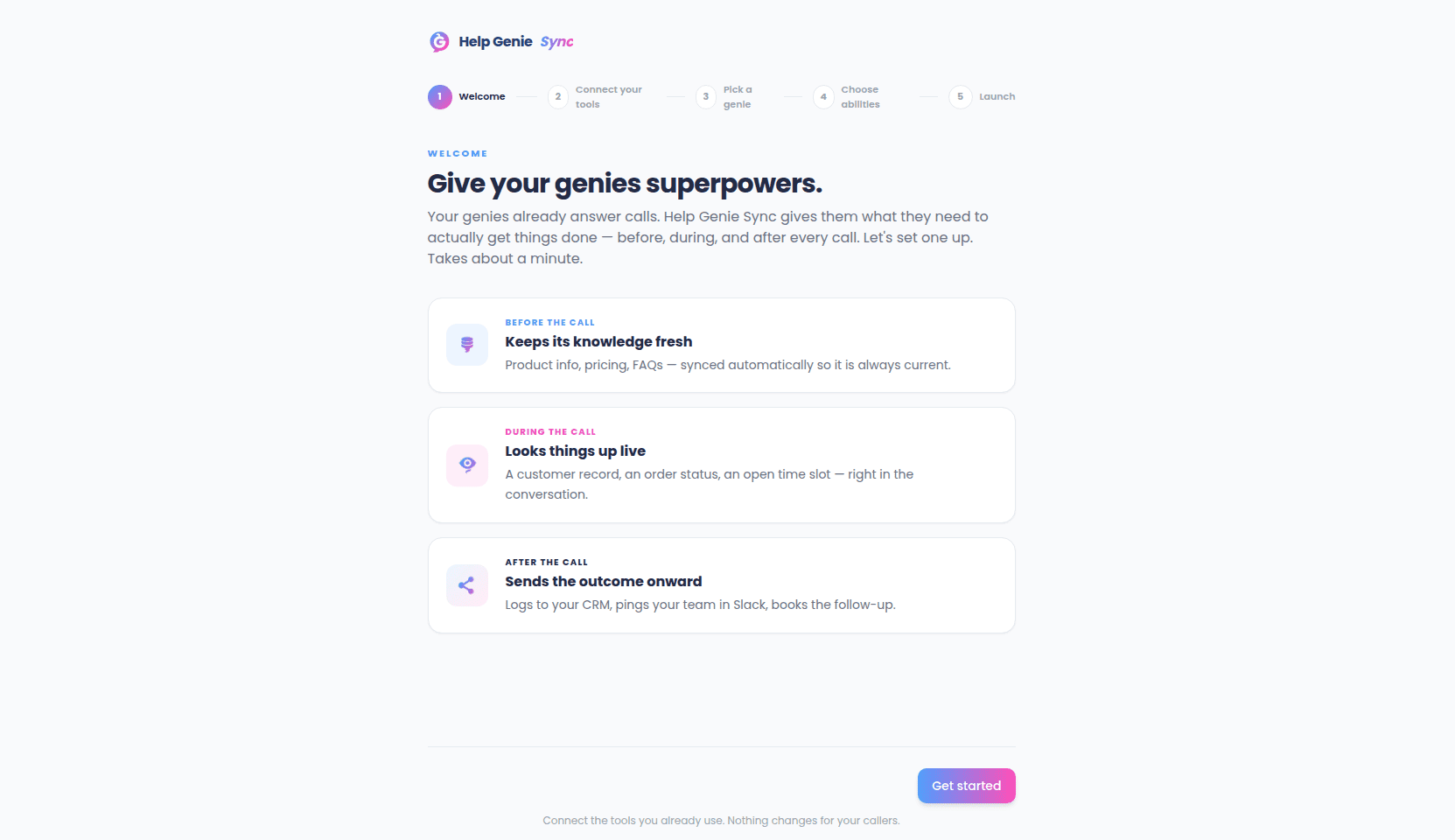
At/welcome there’s a five-step guided tour that walks through the same ideas in a lighter, more visual way — useful if you’d rather get oriented before touching the real configuration:
- Welcome — a quick tour of the before/during/after model.
- Connect your tools — one-click connect to common tools like HubSpot, Slack, and Google Calendar, or browse the full catalog.
- Pick a genie — choose which of your Voice genies you’re looking at.
- Choose abilities — toggle a preset list of example abilities (checking order status, posting a recap to Slack, and similar).
- Launch — a recap screen, then a button back to the dashboard.