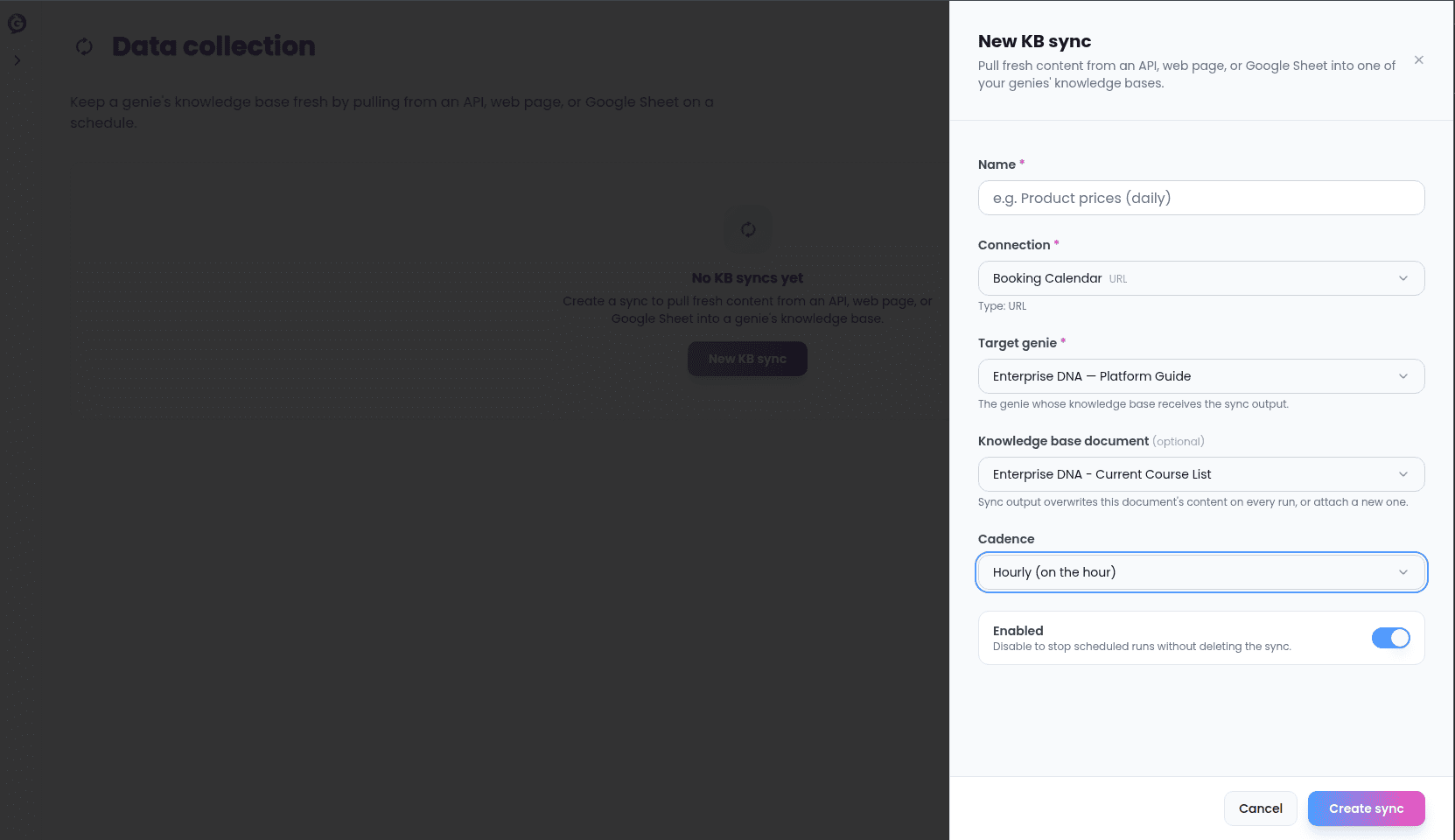
The knowledge itself lives in your Voice genie — Sync’s job is to keep it fresh on a schedule, by pulling from a connection you set up. Sync doesn’t author or store your knowledge base content directly; if you need to edit the knowledge itself, that happens in Help Genie Voice, not here.
Setting up a sync
Every knowledge sync needs:- Name — whatever helps you recognize it later.
- Target genie — which of your genies this feeds.
- Connection — the connection to pull from. What you can pick depends on what you’ve already connected: a Custom API, a Database, a URL, or an OAuth integration like Notion.
- Target document — which document in that genie’s knowledge base the synced content should land in. Pick an existing one, or leave this unset and Sync creates a new document the first time the sync runs.
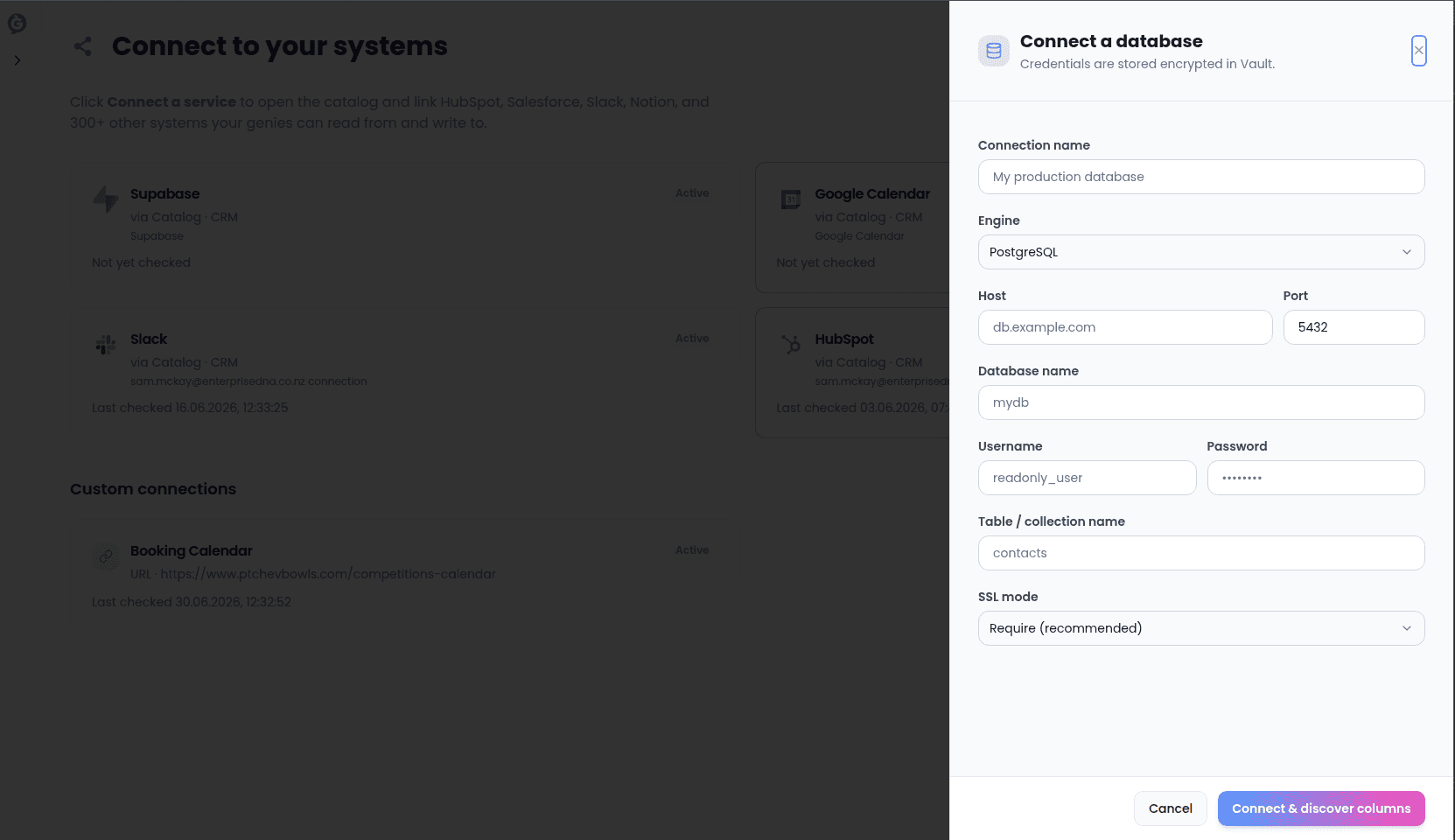
Extra settings by connection type
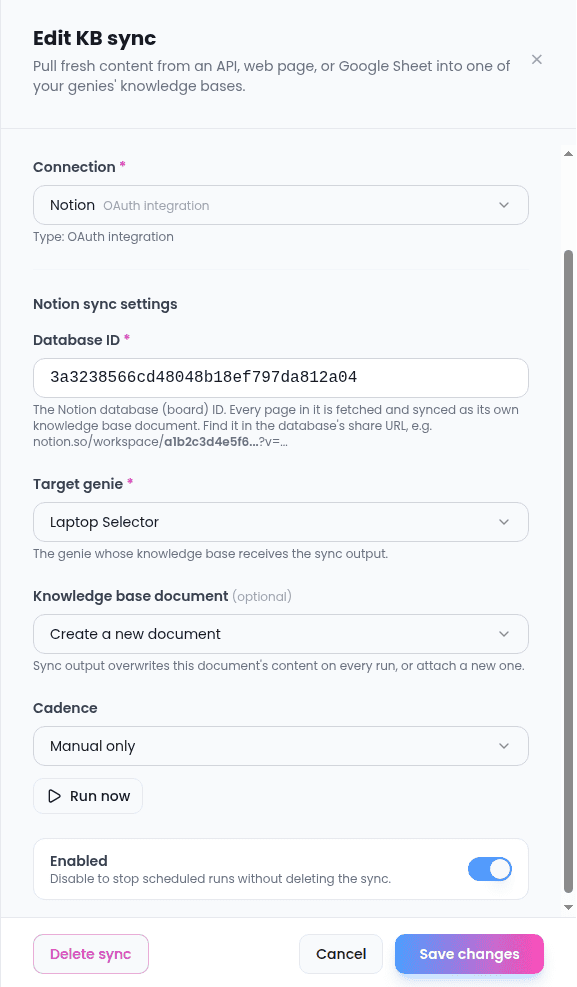
Once you pick a connection, a few extra fields appear depending on what kind of connection it is:- Notion connections — you’ll be asked for the Notion database ID to sync from. Every page in that database is fetched and becomes its own document in the genie’s knowledge base. This field is required for Notion.
- Database connections — you can optionally override which columns get synced, if you want fewer than what the connection itself is set up to share. Leave this blank to use the connection’s own column selection.
- Custom API connections — by default, every endpoint saved on that connection is synced, each becoming its own document. If you only want one specific endpoint kept in sync, you can pick it here.
- Other catalog connections (non-Notion) — you’ll give a specific path on that service to pull from (for example, a CRM’s contacts list), optionally narrow it down to specific fields from each item, and optionally provide a template for how each item should be written out as text. Leave the template blank and Sync writes the raw data instead.
- URL connections — no extra fields. A URL sync always just re-fetches and re-reads the page or document at that address.
Keeping it fresh
Choose a cadence from a fixed list:There’s no free-form time picker for the daily and weekly presets — they always run at those fixed UTC times, so double-check what that is in your own timezone. The custom option accepts a standard schedule expression if you need something the presets don’t cover; the shortest supported cadence is every 15 minutes.