

/genie-hub/unfinished-setups), and you can also reach it from My Genies. Use the Back to My Genies button at the top to return.
What you’ll see
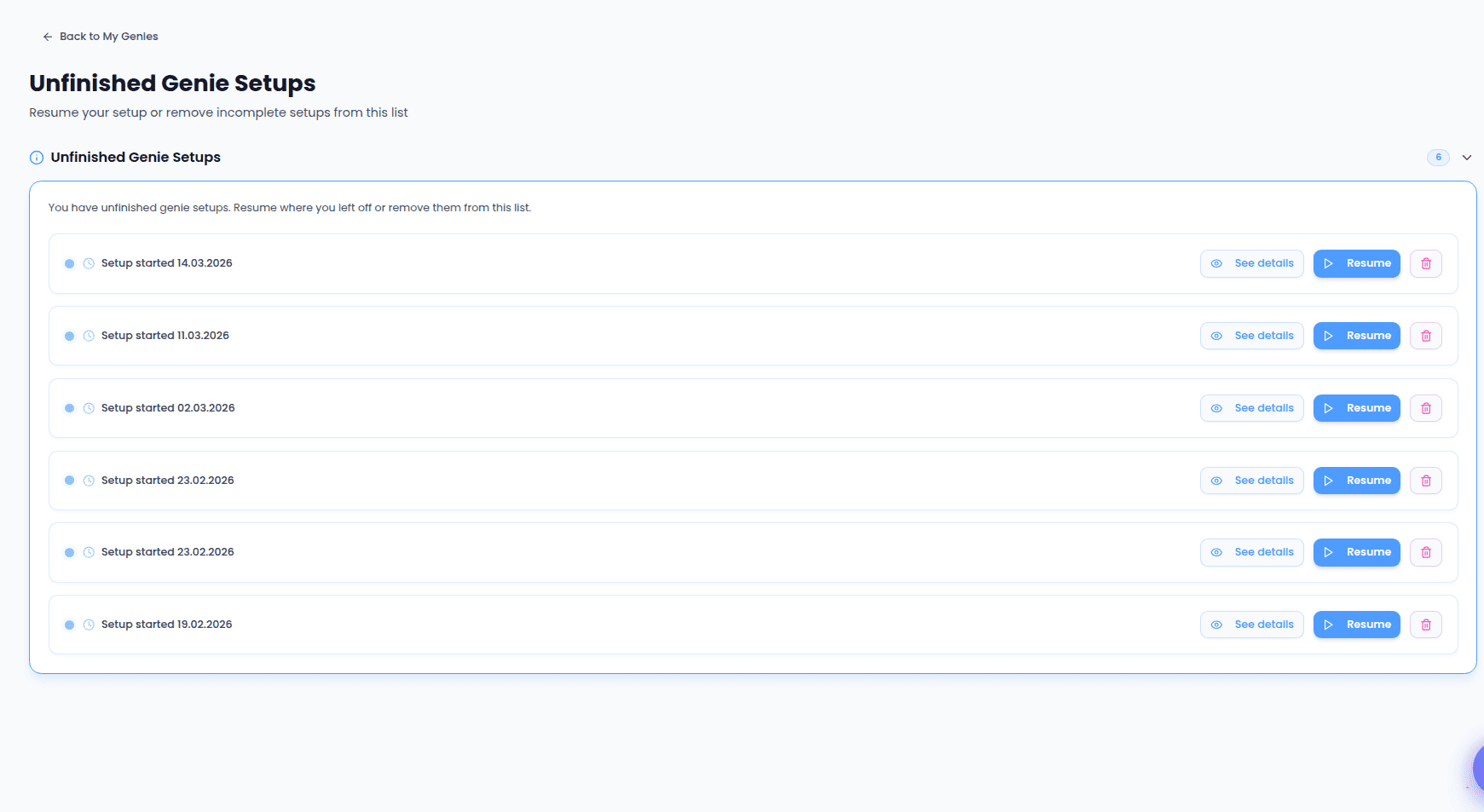
Each unfinished setup appears as its own card showing how long ago it was started (for example, “Setup started 2 days ago”). A badge next to the heading shows how many unfinished setups you have, and you can collapse or expand the list using the arrow beside it. A setup only stays here while it’s genuinely unfinished. Once a setup is completed and turns into a real Genie — or once you remove it — it drops off the list automatically. If you have no unfinished setups, the list is simply empty.Reviewing a setup
Not sure which setup a card refers to? Select See details to open a transcript of that setup, so you can read back through what you’d already gone over before deciding whether to resume or remove it.Resuming a setup
Select Resume to continue a setup from where you left off. HelpGenie reopens the guided Genie setup with your earlier answers already loaded, so you can carry on rather than begin again. The button shows a brief “Resuming…” state while it prepares your setup. If the setup can’t be reopened — for example, if its saved details are no longer available — you’ll see a message letting you know, and you can start a fresh setup instead.Removing a setup
Select the trash icon on a card to remove that setup from the list. This clears out setups you don’t intend to finish so only the ones you still care about remain. The setup disappears from the list right away, and you’ll get a short confirmation that it was removed.Removing a setup only takes it off this list — it doesn’t affect any Genies you’ve already finished setting up.
Related
- Genie Setup — the guided flow that resuming a setup returns you to.
- My Genies — where your finished Genies live once a setup is complete.